

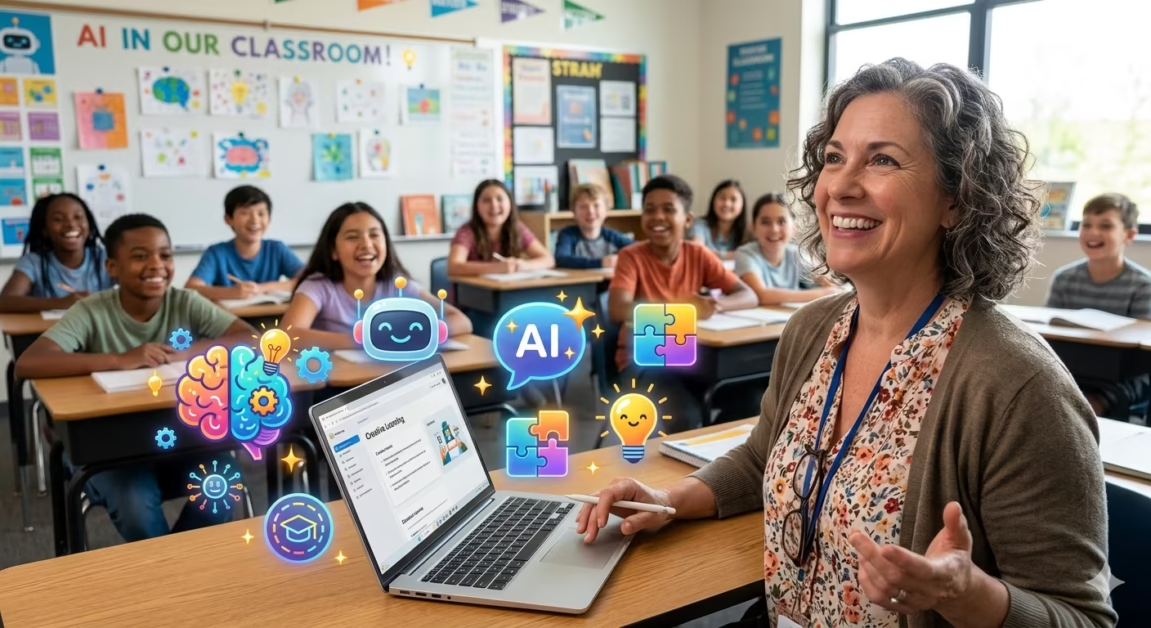
Let’s face it: the world of technology moves fast. For many educators, “Artificial Intelligence” can sound like a term from a sci-fi movie, conjuring images of complex code and robots taking over. As a teacher, your world is centered on people, not programming. You’re an expert in child development, pedagogy, and curriculum, not in algorithms or Python. When you hear about AI tools for non-tech people, it’s easy to feel a sense of dread or imagine a steep, impossible learning curve.
Your search for AI Tools often leads to overwhelming content about machine learning, APIs, and neural networks. This can be intimidating and, frankly, a waste of your precious time. What you need are dedicated tutorials for teachers that skip the technical jargon and go straight to practical application, showing you exactly how to integrate AI into your daily workflow. This guide is designed to cut through that noise and provide the clear, actionable information you’re seeking. By the end, you’ll have a clear roadmap to confidently using AI tools for non-tech people, transforming your teaching and reclaiming your valuable time.
Table of Contents
Why You Don’t Need a Tech Background to Use AI
The most important thing to understand is that the modern generation of AI tools is not built for computer scientists; it’s built for everyone. The internet is saturated with AI tutorials, but most of them are designed for developers, data scientists, or tech enthusiasts. These resources incorrectly assume you know what an API is, that you’ve used a command line before, or that you care about how neural networks work. For an educator who just wants to draft better lesson plans and write faster emails, this content is irrelevant and intimidating .
The primary misconception is that you need to understand the technology to use it. This is like thinking you need to understand the internal combustion engine to drive a car. You don’t. You just need to know how to steer, accelerate, and brake. Similarly, with AI, you need to know how to ask the right questions (write a good prompt) and evaluate the answer it gives you. The best AI tools for non-tech people are the ones that speak your language, address your tasks, and skip the engineering jargon entirely .
Top 5 AI Tools for Non-Tech People
Navigating the vast landscape of AI tools can be daunting, but several platforms have been specifically designed with educators and non-technical users in mind. Here are five of the best AI tools for non-tech people that are making a significant impact in education.
ChatGPT: Your Versatile Teaching Assistant
ChatGPT is arguably the most well-known AI tool, and for good reason. It is a large language model that can perform a staggering variety of tasks. For teachers, it’s a virtual assistant that can help you plan lessons, write quizzes, draft emails to parents, or brainstorm creative activities for your classroom . Its strength lies in its flexibility. You can ask it, “I’m planning a 45-minute lesson on fractions for 4th grade, but I’m stuck on how to make it engaging. Can you draft an outline that includes a creative opening hook and at least two interactive formative assessment strategies?” .
**Pro Tip:** Once you’re comfortable, explore creating a Custom GPT. These allow you to upload your own rubrics, curriculum maps, and past lessons. This way, the AI responds with content specific to your classroom context, making it one of the most powerful AI tools for non-tech people seeking personalized support .
Google’s NotebookLM: The Ultimate Research and Planning Tool
Google’s NotebookLM is a revolutionary “learning engine” that is a perfect example of AI tools for non-tech people. It functions as a research assistant that you can ‘feed’ with your own sources—documents, website links, and text. From these sources, you can then ask the AI questions, and it will provide answers based *only* on the information you provided . This makes it incredibly accurate and free from the “hallucinations” (making things up) that other AI chatbots can sometimes have.
A superintendent in Henry County Public Schools used NotebookLM to support teachers in creating Individualized Education Programs (IEPs). By uploading every document necessary to follow state law, they created a legal and accurate assistant. Teachers could then ask it questions like, “[Student] is reading 105 words per minute for reading fluency. What are the next best steps?” and get a reliable, legally-compliant answer . For any teacher needing to process large amounts of information or documents, this tool is a game-changer.
Curipod: Making Lessons Fun and Interactive
We’ve all been there: sitting down to plan a lesson and finding nothing but an empty screen. Curipod is designed to solve this exact problem. You start with a topic—like “ecosystems” or “the Civil War”—and Curipod will generate a polished, editable slide deck that is ready to present . It not only creates the presentation but also includes interactive elements like polls, multiple-choice questions, word clouds, and “Draw Your Answer” prompts to keep students engaged.
This is the definition of “AI with training wheels” . It requires no technical skill to use and is a perfect example of AI tools for non-tech people who are short on time. It handles the creative heavy lifting, allowing you to focus on the quality of the content and how you present it.
Brisk Teaching: Streamlining Content from Anywhere
Brisk Teaching is a Chrome extension that lives in your browser, ready to turn any online resource into classroom-ready materials . If you find a great YouTube video, article, or webpage, Brisk can use it as a source to generate a slide deck, a quiz, a podcast script, or a series of comprehension questions.
Brisk’s “Boost” feature is a standout for teachers. It lets you take an article and create engaging activities with built-in comprehension checks . It also automatically saves everything directly to your Google Drive, making it incredibly easy to organize and revisit later. This tool is a prime example of AI tools for non-tech people because it works right on top of the resources you already use, significantly lowering the barrier to entry .
SchoolAI: The All-in-One Classroom Platform
SchoolAI covers both sides of the classroom experience, offering tools for teachers and students alike . On the teacher side, it provides powerful lesson-plan generators, worksheet and quiz creators, and ideas for engaging student activities. For students, the “Spaces” feature is revolutionary. It allows you to create customizable environments where students can work with AI tutors. For example, you could create a “Shakespeare discussion guide” or a “math problem explainer.”
This feature is particularly powerful for when students are stuck on a project or problem. Instead of sitting in frustration, they can turn to a Space for guidance, breaking down a research question or receiving feedback on a draft . As one of the leading AI tools for non-tech people, SchoolAI empowers teachers to provide individualized support without needing to be a tech expert.
Tutorials for Teachers: Getting Started
For many educators, the biggest hurdle is simply knowing how to begin. The following section is designed as a series of practical tutorials for teachers, guiding you through the initial steps of using AI. These are not technical manuals but simple, teacher-friendly workflows.
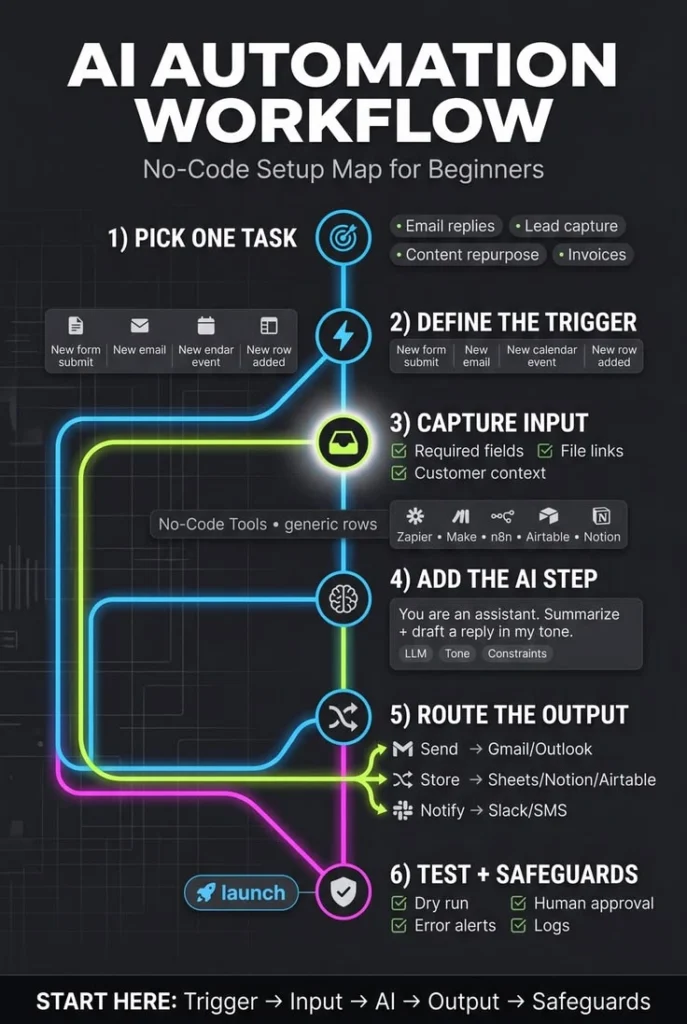
The Simple Step-by-Step Workflow for Using AI
This workflow, based on real-world teaching practices, shows just how easy it can be to build a professional resource using AI.
Step 1: Get Oriented
Start by picking one of the easy-to-use AI tools mentioned above, like Curipod or Brisk. These platforms are designed for you. Spend 15 minutes simply exploring the interface without any pressure to produce something perfect. Click around, see what options are available, and get a feel for the platform. This initial familiarity is the most critical first step in tutorials for teachers.
Step 2: Build Content
Now, use the tool for a specific purpose. For instance, if you are using Curipod, type in your topic (e.g., “Photosynthesis for 7th grade”) and let it generate a slide deck. You are not expected to use everything it creates. Think of it as a collaborative partner that gives you a great starting point. For Brisk, paste in the URL of a video you already planned to show and see how it can generate discussion questions from it. This practical approach is at the heart of effective AI tools for non-tech people.
Step 3: Add Polish
Take the raw AI-generated content and personalize it. Edit the slides, add your own examples, or change a quiz question. The AI provides the structure; you provide the soul—the real-world context, your unique teaching style, and your understanding of your students.
Step 4: Deploy and Run
Use your new resource in the classroom. See what works and what doesn’t. This feedback is crucial for your next interaction with the AI. Remember, you are in control; the AI is simply a tool to help you create. This entire process is one of the most effective tutorials for teachers to build confidence and competence.
Essential Prompting Strategies for Educators
The magic of AI tools for non-tech people lies in how you ask. A well-crafted prompt is the key to getting a useful, high-quality response. Here are three prompt strategies from a district leader that can serve as quick, effective tutorials for teachers :
The “I’m Stuck” Prompt:
“I’m planning a 45-minute lesson on [topic] for [grade level], but I’m stuck on how to make it engaging. Can you draft an outline that includes relevant [state] standards, a creative opening hook (two to three minutes) that grabs attention, and at least two interactive formative assessment strategies? Add one unconventional activity idea that approaches this topic from a new angle.”
The “Make it Fresh” Prompt:
“I’ve taught [topic] so many times. Can you give me three new ways to teach it that feel fresh, with specific examples I could try tomorrow? Draw from teacher blogs, lesson-sharing sites, or educational resources and include links so I can explore the original sources.”
The “Make it Stick” Prompt:
“I need to teach [concept] to middle school students, but I’m out of ideas for how to make it stick. Can you suggest three different approaches that emphasize [skills]? For each, include a suggested activity, a quick way to differentiate for different learners, and a strategy to check if students are engaged.”
These simple but effective prompts turn complex AI technology into a practical and personal assistant. These are the kinds of tutorials for teachers that directly address their needs.
Common Concerns Teachers Have About AI

The most common fear is that AI will somehow replace the teacher. This is a misconception. AI is a tool for *empowerment*, not replacement. The consensus among educators who successfully use AI is that it is a collaborative support, not a substitute for their professional insight . It can handle the time-consuming “grunt work,” freeing you up to do what you do best: connecting with students on a human level, providing personalized feedback, and inspiring a love of learning.
Other concerns include the accuracy of AI (the “hallucination” problem) and data privacy. However, many of the best AI tools for non-tech people, like Google’s NotebookLM, address this by only using the sources you provide . This makes them incredibly accurate and safe for school use. Also, for tasks like IEP development, using AI within a set of pre-approved documents ensures that your work is not only efficient but also legally compliant .
AI Tools for Every Day: Practical Applications

AI’s true value for teachers is seen in its daily applications. Here’s how AI tools for non-tech people can be applied to solve everyday problems and save precious hours.
Automating Administrative Tasks with AI
One of the primary reasons teachers are turning to AI is to reduce their overwhelming workloads. The hours spent on administrative tasks, like drafting lesson plans or grading, can be significantly reduced. For example, Google Docs has a built-in AI summary feature, a tool a superintendent used to summarize important documents that used to eat up much of his time reading .
There are also “email drafts” plug-ins that help you draft emails more seamlessly. You can include meeting notes, add action notes, and assign tasks to specific employees, all through a simple AI prompt . As one district leader noted, when he first arrived at his school, “staff told me it was killing them the amount of hours they were having to put in to create lesson plans or to grade on-demand students’ writing.” These AI tools are a direct answer to that plea for help .
Enhancing Student Engagement and Support
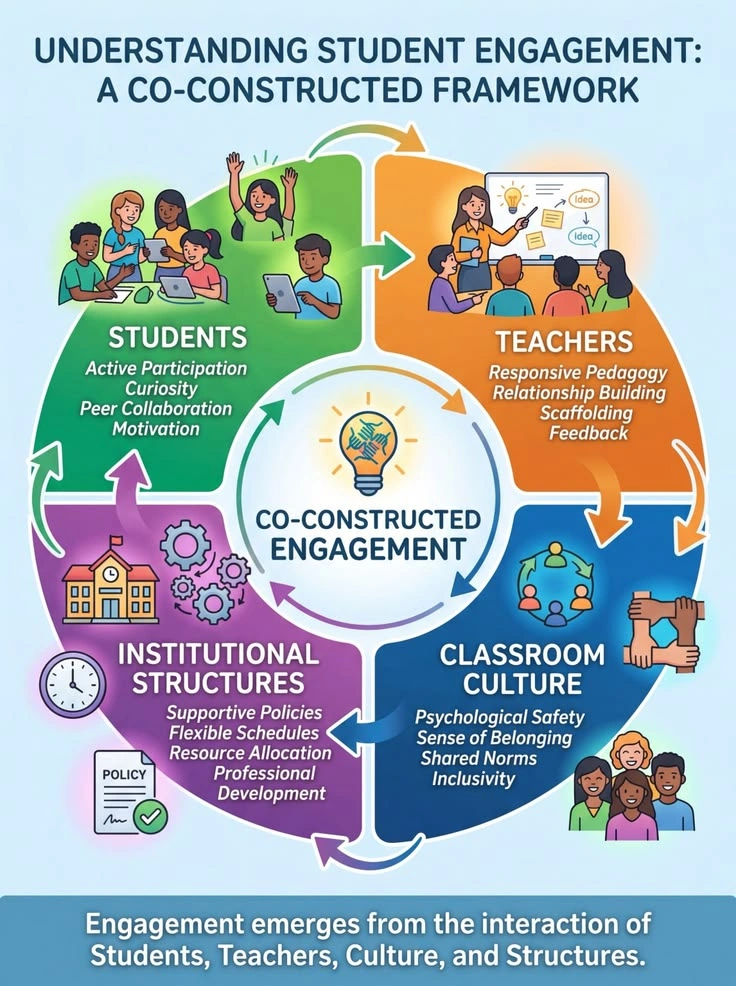
AI isn’t just for teacher productivity; it can also boost student learning. Educators are using AI to create interactive activities, differentiated materials, and personalized learning paths. Platforms like SchoolAI are used in districts to let students untangle tricky math problems, brainstorm presentation ideas, and receive feedback on their drafts .
This additional support helps students push past that stuck moment so they can keep moving forward, freeing you up to circulate, differentiate, and connect more deeply with individual learners . This is the future of education: using AI not to teach students, but to support and augment the incredible work you already do.
Conclusion: Your AI Journey Starts Now
The world of AI can feel like a vast, complex landscape, but as we’ve explored, the path for educators is not only accessible but incredibly rewarding. The “AI tools for non-tech people” we’ve discussed are not niche, complex systems; they are user-friendly, practical assistants that can save you hours, spark your creativity, and help you better connect with your students.
From generating a full lesson plan with Curipod to creating a safe, research-based AI tutor with Google’s NotebookLM, you now have a clear roadmap. You don’t need a computer science degree or a tech background to harness this power. All you need is a willingness to explore, the knowledge of the right tools to use, and a few simple prompting strategies to get started. The tutorials for teachers provided here are your first step.
Now it’s time to take that step. The best AI tools for non-tech people are out there, waiting for you to use them. Your journey to a more efficient, creative, and rewarding teaching experience is just a prompt away. Embrace the future of education—it’s built for you.
FAQ:
1. Are these AI tools safe for use in schools?
Many of the most popular AI tools for non-tech people, like Google’s NotebookLM, are designed with privacy and security in mind. They can be used within a “walled garden” where the AI only interacts with the sources you provide, ensuring that student data is not used to train a general model. However, it’s always best to check with your school’s IT department and data privacy policies before introducing any new tool.
2. What is the difference between ChatGPT and NotebookLM?
ChatGPT is a general-purpose AI that can answer questions on a wide range of topics using its vast training data. In contrast, Google’s NotebookLM is a “learning engine” that you “feed” with your own documents. It then answers questions based *only* on those specific sources. This makes NotebookLM perfect for accuracy and avoiding “hallucinations,” while ChatGPT is better for broader brainstorming and content creation. Both are excellent AI tools for non-tech people.
3. Can AI actually help me write better lesson plans?
Absolutely. In fact, this is one of the most common uses of AI in education. Platforms like Curipod, SchoolAI, and even ChatGPT can generate detailed lesson outlines, create engaging hooks, suggest interactive activities, and align your plans with state standards in minutes. This saves you hours of planning time and helps you overcome creative blocks.
4. I’m worried AI will be a distraction for my students. How do I prevent this?
The goal is to use AI as a supportive tutor, not a free-for-all. Tools like SchoolAI’s “Spaces” allow you to create customized, safe environments for students to interact with AI. You set the parameters, choose the subject, and can even view the transcript of their conversations to gain insights into their thinking. This allows you to harness the power of AI while maintaining control.
5. Is there a “best” AI tool for a complete beginner?
For a complete beginner, the best tool is one with a clear, guided interface that doesn’t require any prompting, like Curipod or Brisk. These are what experts call “AI with training wheels” . They produce excellent results without you needing to learn complex “prompt engineering.” Once you’re comfortable, you can explore more flexible tools like ChatGPT or NotebookLM. This makes them perfect AI tools for non-tech people.


3 thoughts on “AI Tools for Non-Tech People: A Teacher’s Guide to Easy AI Adoption”